UX/UI case study · Mental health app · 2023
Spark: booking a counsellor, privately
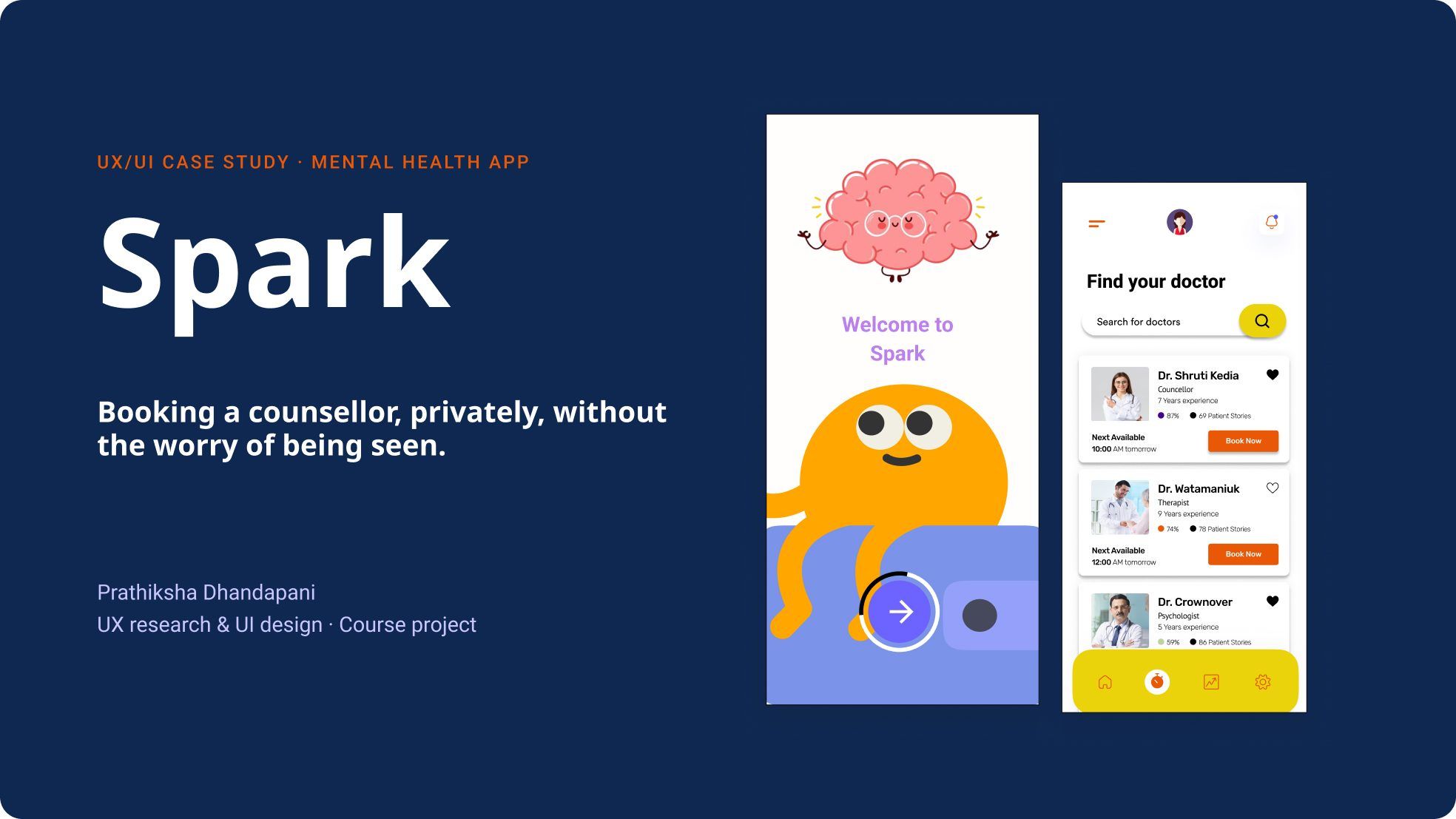
A mental health app that helps people find a counsellor and book a session without the worry of being seen.
Context
A private journal, a mood check-in and a way to book help
Spark helps people check in on their mood, keep a private journal, and find and book a counsellor. I interviewed and surveyed 7 people aged 20 to 70 to understand what stops them from asking for help.
The problem
“Privacy was the top concern for people aged 21 to 30.”
Process
From interviews to hi-fi screens
Research, affinity mapping, two personas and empathy maps, a journey map, user flow and sitemap, then low-fi, mid-fi and hi-fi screens. The journey map’s main pain point was “trust issues due to privacy”.
Key decision · Privacy
Keeping a booking private
1 · Before
The moment that could worry someone
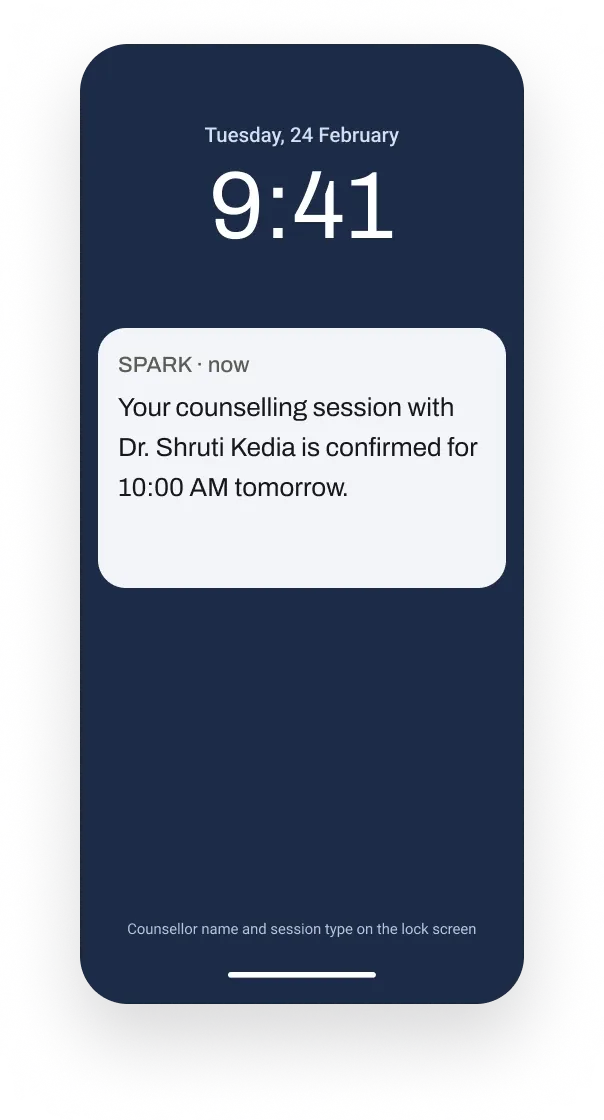
Booking confirmations and reminders named the counselling session and counsellor in full. On a lock screen, a parent, roommate or colleague could read it.
2 · After · The control I added
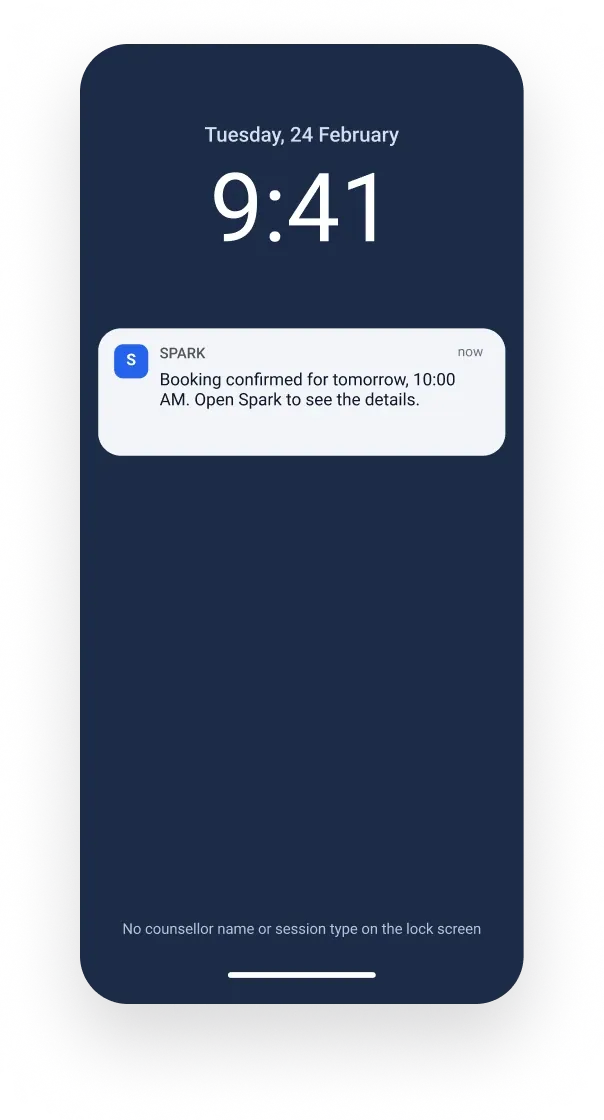
Private notifications, on by default
Reminders show only “Spark” and the time. Details appear after Face ID or a PIN.
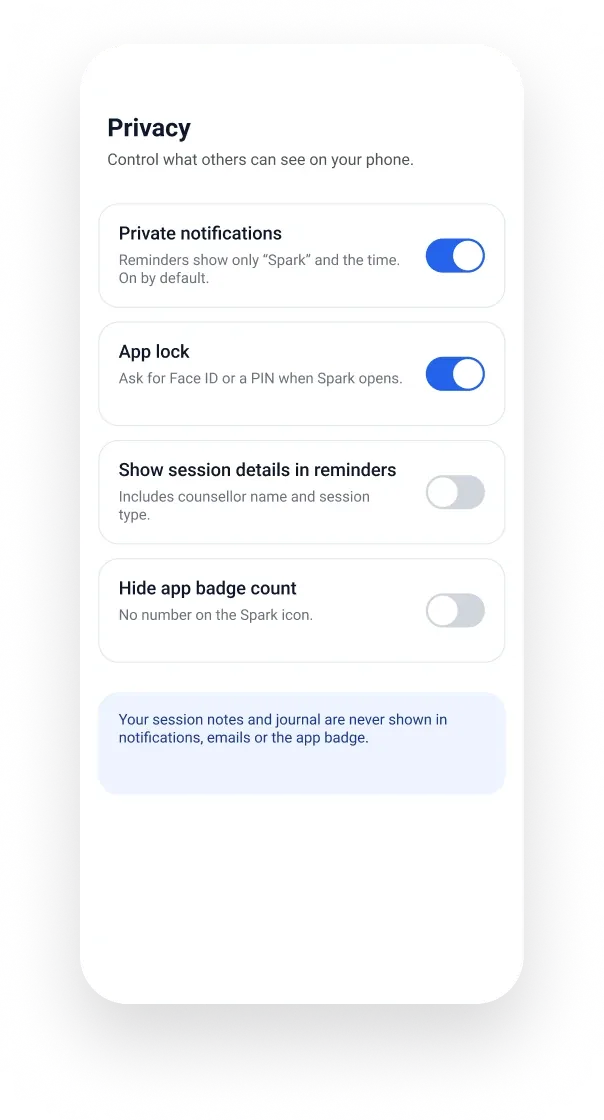
What someone can now control
Now each person decides what others can see. Reminders show only “Spark” and the time, session details appear only if they turn them on, Spark can ask for Face ID or a PIN when it opens, and the badge count can be hidden. Notes and journal entries never appear in notifications.
3 · What people said
“This needs to be private”
Testers found it easy. They said details should stay hidden in case others look, and that most apps don’t offer this. So it stays on by default.
Final work
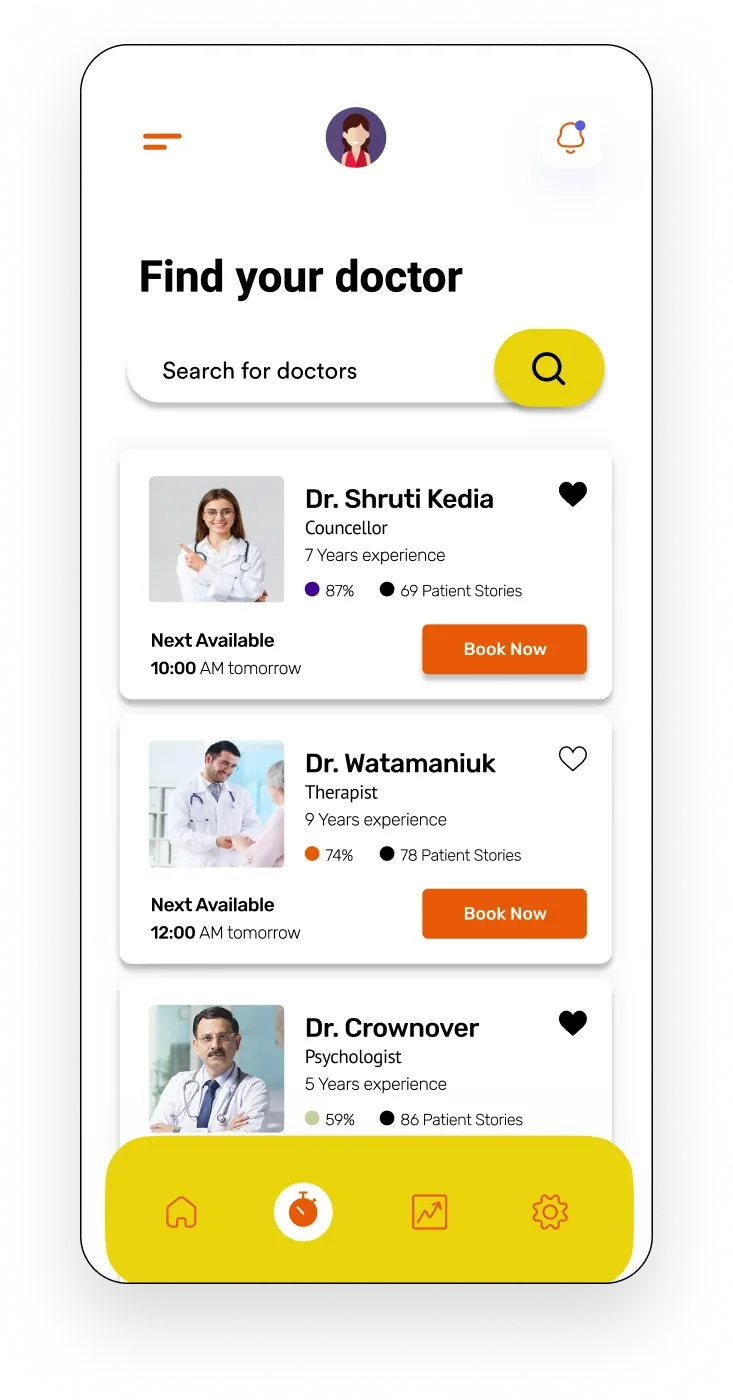
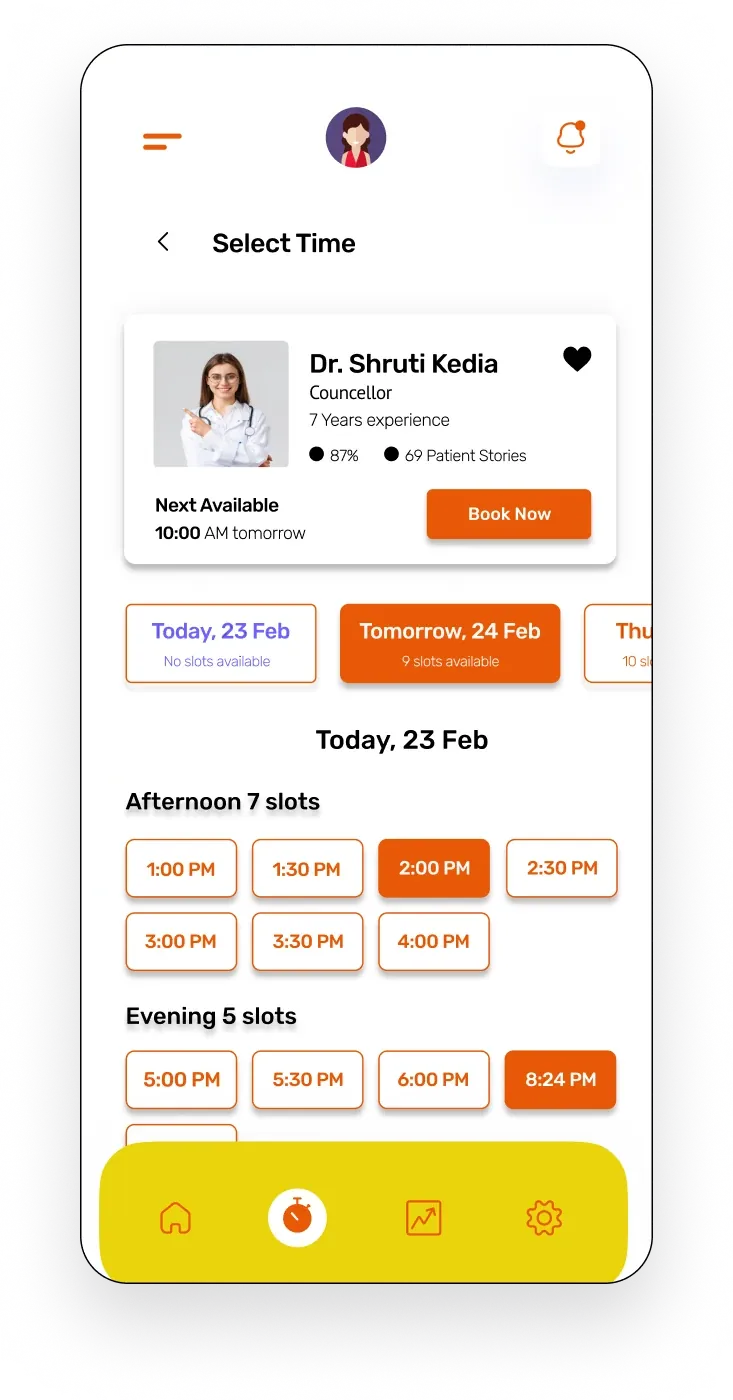
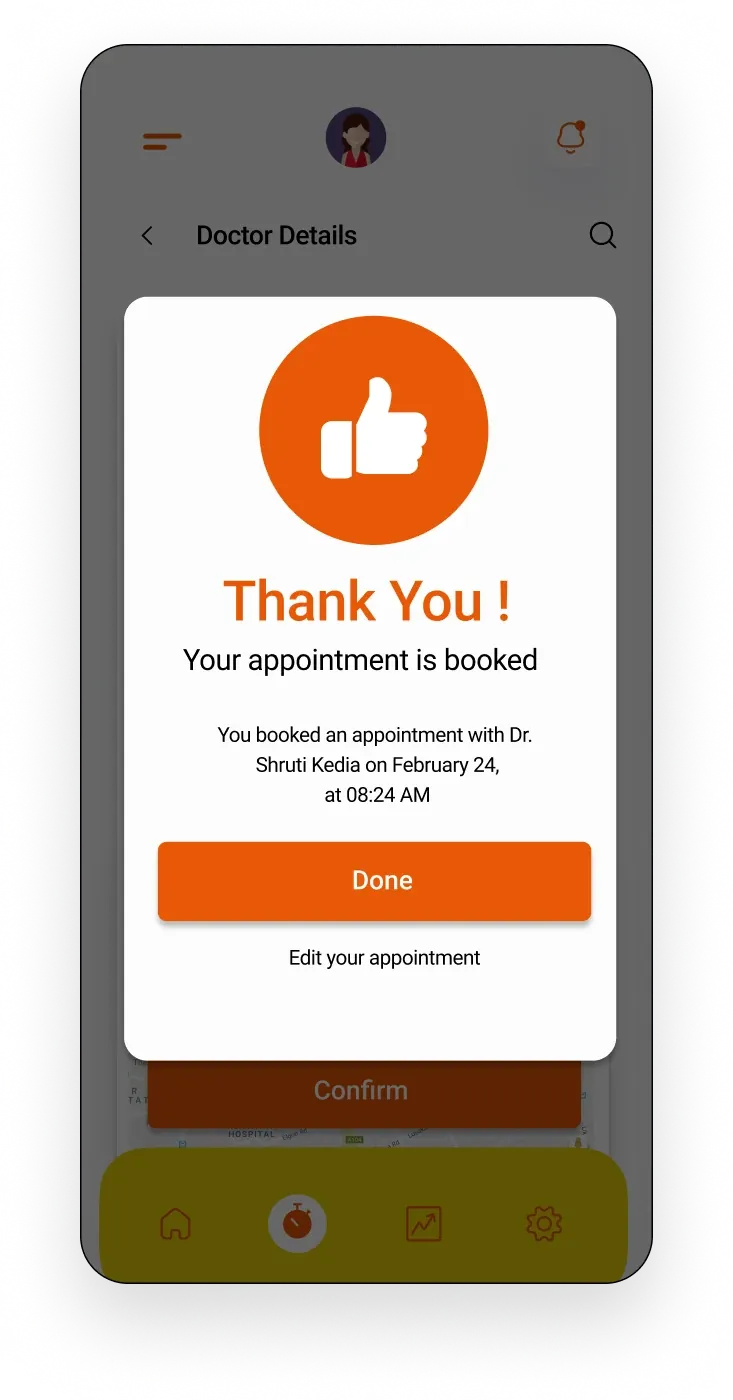
Find, compare and book in three steps
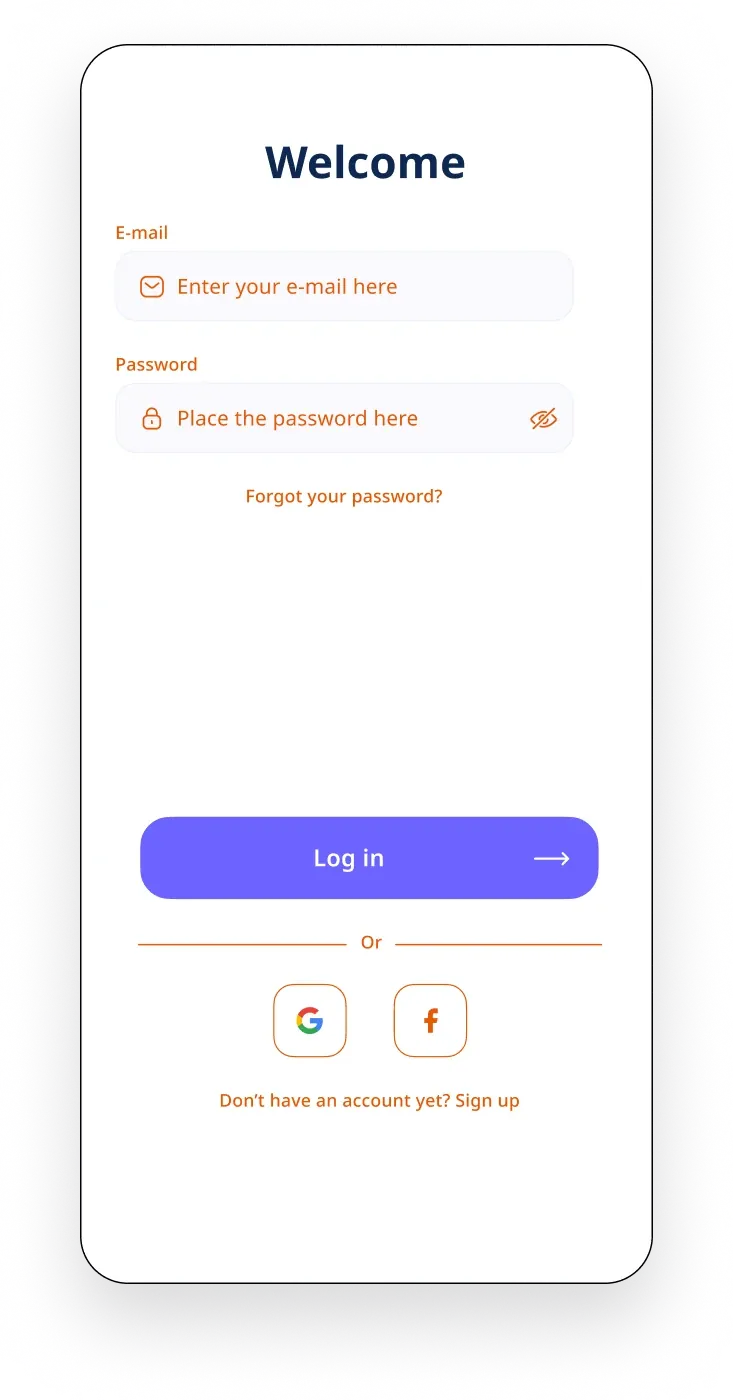
Onboarding, sign up and mood check-in, a private journal, home and notifications, finding and booking a counsellor, and a profile.
Reflection
Privacy has to be visible in the product
Next, privacy needs to be visible in the product itself, not only in the research. Private notifications were the first step; a journal lock and data controls come next.